
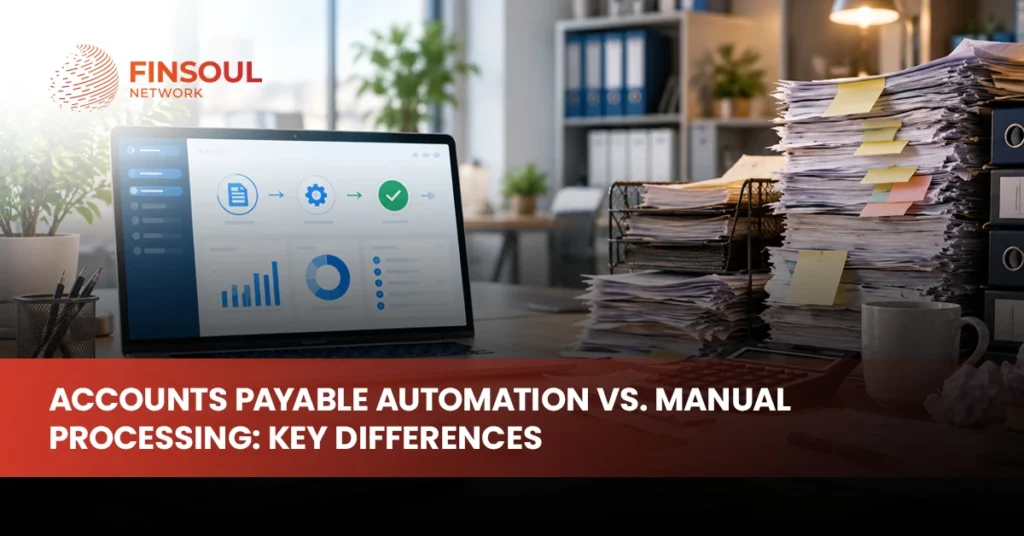
Accounts payable can work perfectly well with a manual process when invoice volumes are low, approvals are simple, and the people involved know exactly what needs to happen next. Problems usually appear as the business grows. More invoices arrive through different channels, approval chains become longer, vendor questions increase, and finance teams spend more time entering data, checking documents, and chasing people for decisions.
That is where the difference between accounts payable automation vs manual processing becomes important. Automation does not simply replace paper with software. It changes how invoices are captured, matched, approved, recorded, scheduled for payment, and tracked across the AP workflow. Manual processing can remain practical for smaller or less complex operations, while automated workflows become more useful when volume, control requirements, and reporting needs increase.
The right choice depends on how your current process performs, where errors or delays occur, and whether the cost of manual work is becoming greater than the cost and complexity of automation.
What Is a Manual Accounts Payable Process?
A manual accounts payable process relies heavily on employees to receive invoices, enter invoice information, check purchase orders or supporting documents, identify approvers, obtain approval, record the liability in the accounting system, prepare the payment, and retain supporting records.
The process does not have to involve physical paper. A company can use email, spreadsheets, PDFs, shared folders, and online banking while still operating a largely manual AP workflow. The defining feature is that people perform most of the movement, verification, data entry, and follow-up between stages.
A typical invoice may arrive in an employee’s email inbox, be forwarded to accounting, entered into bookkeeping software, sent to a department manager for approval, returned to finance, and later added to a payment run. If something is missing, a member of the finance team has to identify the problem and contact the relevant person.
This approach can work when the business handles a manageable number of invoices and has a small, accessible approval team. The weakness is that the process becomes increasingly dependent on individual attention as the volume and complexity of transactions increase.
What Is Accounts Payable Automation?
Accounts payable automation uses software to reduce manual intervention across some or all stages of the invoice-to-payment process. Depending on the system, automation can capture invoice data, identify vendors, check invoice details, match invoices with purchase orders or receipts, route documents for approval, identify exceptions, synchronize approved transactions with accounting software, and maintain digital records.
Not every automated AP process is fully touchless. Most businesses still need human review for exceptions, unusual invoices, new vendors, changes in banking information, disputed charges, or transactions that exceed established approval thresholds.
Automation is therefore better understood as a way to move routine work through a defined workflow while directing unusual or higher-risk items to the appropriate person.
Invoice processing automation can also refer to a narrower part of the AP process. Some systems primarily automate invoice capture, data extraction, coding, and approval, while broader AP platforms extend into payment workflows, vendor management, reconciliation, and reporting.
Accounts Payable Automation vs Manual Processing at a Glance
The main differences become clearer when both approaches are compared across the complete workflow.
| Area | Manual AP Processing | AP Automation |
| Invoice capture | Employee opens and reviews invoices | System can capture invoices from configured channels |
| Data entry | Information entered manually | Invoice data can be extracted automatically |
| Matching | Employee compares invoice with supporting records | System can perform configured matching rules |
| Approval routing | Email, chat, paper, or manual follow-up | Workflow routes invoices to assigned approvers |
| Exceptions | Identified manually during review | Exceptions can be flagged for review |
| Visibility | Often spread across inboxes, spreadsheets, and accounting systems | Central workflow can show invoice status |
| Audit trail | Depends on manual recordkeeping | Actions and approvals can be logged automatically |
| Scalability | Additional volume usually creates additional workload | Routine invoices can move through the same workflow at higher volumes |
| Human involvement | High throughout the process | Focus shifts toward exceptions and approvals |
| Implementation | Simple to begin | Requires software selection, setup, controls, and integration |
Neither column should automatically be described as good or bad. The real question is which approach gives the business appropriate control without creating unnecessary cost or complexity.
Manual Invoice Processing Requires More Human Touchpoints
The biggest difference in automated vs manual invoice processing is the number of routine actions that depend on a person.
Consider an invoice received by email. Under a manual process, someone may need to download the attachment, identify the vendor, enter the invoice number, date, amount, expense category, payment terms, and other information, then determine who should approve it.
If the approver does not respond, finance follows up. Once approval arrives, someone confirms the accounting entry and includes the invoice in the correct payment cycle.
Every individual task may take only a short time. The workload becomes significant when the business repeats those tasks hundreds or thousands of times.
More touchpoints also create more opportunities for inconsistency. One employee may code a recurring expense differently from another. An invoice can be forwarded twice, approval may remain buried in an inbox, or a payment date may be missed because the document did not reach the right person.
Automation aims to remove routine handling while retaining review where judgment is needed.
Automation Changes Invoice Capture and Data Entry
Manual data entry is one of the most obvious places where AP automation can reduce repetitive work.
Instead of an employee typing information from each invoice into the accounting system, accounts payable automation software can capture information from digital invoice files and transfer relevant fields into the workflow. Modern platforms may use optical character recognition, machine learning, templates, or other data-extraction methods depending on the technology involved.
Automation does not mean extracted information should always be accepted without validation. Poor-quality documents, unusual invoice formats, new vendors, handwritten information, or incomplete fields can still require review.
The practical advantage is that employees can spend less time typing routine information and more time resolving the items the system cannot confidently process.
The quality of the result also depends on the quality of the setup. Vendor records, accounting codes, approval rules, purchase orders, and integrations need to be maintained properly if automated processing is expected to remain reliable.
Approval Workflows Become Easier to Track
Approval delays are often less visible than data-entry delays.
In a manual environment, finance may email an invoice to a manager and then wait. If the manager is traveling, on leave, or simply misses the message, the invoice remains outstanding until someone notices.
Automated workflows can route invoices according to predetermined rules. A department invoice can go to the department manager, a larger purchase can require an additional approval level, and an overdue approval can trigger a reminder or escalation.
This does not eliminate the need for managers to make decisions. It improves the movement and visibility of the decision.
A finance team can also see which invoices are waiting for approval instead of searching through emails or asking multiple employees for updates.
For businesses with several locations, departments, or approval levels, this increased visibility can be one of the more useful accounts payable automation benefits.
Matching Can Move From Manual Checking to Exception Review
Businesses using purchase orders may compare invoices against purchase orders and, where relevant, evidence that goods or services were received.
Under a manual process, employees perform these checks themselves. The work becomes more time-consuming when invoices contain many line items or when purchase information is stored in different systems.
Automation can compare configured fields and allow invoices that meet established conditions to continue through the workflow. Items that do not match can be sent for investigation.
For example, an invoice may be flagged because the quantity exceeds the purchase order, the price is different, a required receipt is missing, or the invoice refers to an unknown purchase order.
This shifts the AP team’s role from checking every routine invoice in the same way to focusing more attention on exceptions.
The controls still need to be designed carefully. Automated matching is only as reliable as the source data and rules supporting it.
Automation Can Improve Accuracy, but It Does Not Eliminate Errors
One of the common arguments for AP automation is improved accuracy.
Manual invoice processing creates opportunities for typing errors, incorrect coding, duplicate entry, missed invoices, and inconsistent application of procedures. Automation can reduce some of those risks by extracting information consistently, checking for duplicates, applying configured workflows, and validating selected fields.
It does not make an AP process error-proof.
An incorrect vendor record can still create incorrect results. A poorly designed workflow can send invoices to the wrong approver. An employee can approve a transaction without reviewing it properly. Fraudulent information can also enter an automated environment if appropriate controls are missing.
Businesses should therefore avoid treating automation as a substitute for accounting controls. It is a tool for applying those controls more consistently.
Cost Should Be Measured Across the Whole AP Process
Comparing manual and automated AP purely on software cost can be misleading.
Manual processing may appear inexpensive because the business is not paying a separate automation subscription. The actual cost also includes employee time spent entering invoice information, routing documents, following up with approvers, resolving errors, answering vendor questions, maintaining spreadsheets, preparing payment runs, and locating records.
Automation introduces different costs. These can include software subscriptions, implementation, integration, configuration, employee training, technical support, and ongoing administration.
The better comparison is the total cost of the AP process.
Businesses should ask how many invoices are processed, how much finance-team time each stage consumes, how often exceptions occur, how long approvals remain outstanding, how frequently duplicate or incorrect entries require correction, and how much additional workload is created as invoice volume grows.
A low-volume business may find that automation costs more than the problem it solves. A company processing large or increasingly complex invoice volumes may reach the opposite conclusion.
AP Automation Can Improve Financial Visibility
Manual processing often creates a timing problem in financial information.
An invoice may exist in an employee’s inbox for several days before accounting knows about it. Another may be waiting for approval and therefore not yet reflected clearly in the process. Finance may know that bills exist without having a complete view of what is approved, disputed, scheduled, or overdue.
A centralized automated workflow can improve visibility by showing where invoices are within the process.
This information can support cash planning because finance teams can see upcoming liabilities and approval status more clearly. It can also make month-end work easier when fewer invoices remain hidden outside the main accounting workflow.
Automation does not replace cash-flow forecasting or financial management. It improves the quality and timeliness of information feeding those activities.
Businesses that need stronger underlying accounting records can connect AP process improvements with broader accounting services in the USA rather than treating payables as an isolated workflow.
Audit Trails and Document Retrieval Become More Consistent
Manual AP records can be distributed across email accounts, paper files, local drives, cloud folders, accounting software, and bank records.
That fragmentation creates additional work when management, accountants, tax professionals, auditors, or other reviewers need to understand why an invoice was approved and paid.
Automated systems can maintain invoice images, approval history, timestamps, coding information, and other workflow records in a more centralized manner.
This can make it easier to answer questions such as who approved the invoice, when the approval occurred, whether the invoice matched a purchase order, what accounting treatment was used, and when payment was processed.
The organization still needs appropriate record-retention practices. Using AP automation does not remove broader US business recordkeeping responsibilities or the need to maintain supporting documents for accounting and tax purposes.
Automation Can Strengthen Controls When It Is Configured Properly
Accounts payable includes several areas where internal controls matter.
Vendor setup, invoice approval, banking changes, payment authorization, and access to accounting systems should not automatically be controlled by the same person simply because automation makes that technically possible.
Well-designed systems can support segregation of duties by assigning different roles to vendor maintenance, invoice approval, payment preparation, and final authorization.
Approval thresholds can also be configured so larger or unusual transactions receive additional review.
The benefit comes from consistent enforcement. A manual rule written in a policy can be forgotten or bypassed. A properly configured digital workflow can require the defined approval before an invoice continues.
However, system access needs to be reviewed. Giving one employee excessive permissions can undermine the controls the software was intended to strengthen.
Automation should therefore be implemented together with an AP control review.
Manual Processing Can Still Make Sense
Automation is not automatically the best solution for every small business.
A manual AP process can remain practical when invoice volume is low, there are few vendors, invoices are relatively simple, and approval responsibility sits with one or two accessible people.
For example, a small consulting firm receiving a limited number of predictable monthly bills may not gain much from implementing a complex AP platform. Its existing accounting software, digital document storage, and basic approval procedure may already provide adequate control.
The decision should therefore be based on process complexity rather than trend-following.
Manual processing becomes more difficult when the finance team is repeatedly performing administrative work that adds little value or when the existing process creates material visibility and control problems.
Signs That Accounts Payable Automation May Be Worth Considering
Businesses usually do not need AP automation because of one isolated issue. The stronger case appears when several recurring problems begin affecting the finance process.
Common signs include:
- invoice volume is increasing faster than the finance team
- employees spend substantial time entering invoice information
- invoices are frequently lost or delayed during approval
- vendors regularly ask for payment-status updates
- duplicate invoices require frequent investigation
- month-end close is delayed by missing invoices
- several departments or locations use different AP procedures
- purchase-order matching consumes significant staff time
- finance lacks a clear view of upcoming approved payments
- the company is adding entities, locations, or approval levels
- manual controls are becoming difficult to enforce consistently
The presence of one item does not automatically justify new software. A combination of these issues usually indicates that the business should at least review its workflow.
Automation Should Not Remove Human Judgement
The most effective AP automation does not attempt to eliminate people from every decision.
Routine invoices can move with less manual effort, but exceptions still need judgment. Employees may need to investigate price differences, unusual vendors, incomplete supporting documents, disputed services, duplicate submissions, changes in payment instructions, or transactions that fall outside policy.
Human review is particularly important around changes to vendor banking information and other situations that could create payment fraud exposure.
The purpose of automation is therefore not “no human involvement.” It is to use human attention where it provides the most value.
A mature AP process allows standard transactions to move efficiently while making unusual transactions more visible.
What to Look for in Accounts Payable Automation Software
Software should fit the business’s accounting environment rather than forcing the company into unnecessary complexity.
Start with the existing workflow. Identify how invoices arrive, who approves them, whether purchase orders are used, what accounting or ERP platform is in place, how payments are authorized, and where the current process creates problems.
Then evaluate potential software against those requirements.
Important considerations include:
- integration with the existing accounting or ERP system
- invoice capture options
- approval workflow configuration
- purchase-order and invoice matching
- duplicate-invoice controls
- user permissions and segregation of duties
- vendor management
- payment workflow capabilities
- document storage and audit trails
- reporting and status visibility
- support for multiple entities or locations where required
- cybersecurity and access controls
- implementation and support requirements
Do not select software only because it has the largest number of features. A smaller business may benefit more from a focused solution that integrates cleanly with its current bookkeeping environment.
Finsoul Network USA’s Bookkeeping Services already work across common accounting platforms and AP-related financial records, making the underlying accounting workflow an important part of any automation decision.
Fix the Process Before Automating It
A poorly designed manual process does not automatically become a good process when software is added.
Before implementation, map how invoices currently move through the business. Identify duplicate steps, unclear approval responsibilities, unnecessary manual entry, inconsistent coding, missing purchase-order practices, and weak vendor controls.
Then decide which steps should remain, which should change, and which can be automated.
For example, if nobody knows who is responsible for approving marketing invoices, automating the workflow without resolving ownership simply creates a faster route to the same confusion.
Standardization should therefore come before automation wherever practical.
This also helps software configuration because approval rules, thresholds, roles, vendor data, and accounting treatments can be designed around a clearer operating process.
Implementation Should Be Phased Rather Than Rushed
Changing the AP process affects finance staff, approvers, vendors, accounting systems, and sometimes banking workflows.
A phased implementation allows the business to test the system before moving every invoice through it.
One practical approach is to begin with a defined group of vendors or one business unit. Finance can test invoice capture, coding, approval routing, exception handling, system integration, and reporting before expanding the process.
Employees also need to understand what automation changes and what it does not. Approvers still need to review transactions properly. Finance still needs to investigate exceptions. Vendor data still needs maintenance.
Implementation should include user permissions, approval limits, escalation rules, documentation standards, and procedures for system outages or unusual transactions.
Measure Whether AP Automation Is Actually Working
Installing software is not the same as improving accounts payable.
Management should compare the new process with the problems that originally justified automation.
Useful measures can include invoice processing time, number of manual touches per invoice, approval delays, exception volume, duplicate invoices, overdue invoices, vendor inquiries, percentage of invoices processed through the standard workflow, and finance-team time spent on administrative AP tasks.
The business should also assess whether financial visibility improved and whether month-end close became easier.
Some benefits may be qualitative. Employees may spend less time searching email for invoices, managers may have clearer approval queues, and vendors may receive more consistent responses.
The important point is to define expected improvements before implementation. Otherwise, the business may pay for software without knowing whether it actually improved the process.
Automation Works Best as Part of a Stronger Accounting Process
Accounts payable does not operate independently from the rest of accounting.
Vendor bills affect expenses, inventory, fixed assets, cash, accruals, tax records, financial reporting, and working capital. Improving invoice processing while leaving reconciliations or month-end accounting weak can limit the value of the automation.
The AP workflow should therefore connect properly with bookkeeping, bank reconciliation, general ledger management, and financial reporting.
Businesses should also establish clear procedures for vendor creation, invoice coding, approval, payment authorization, and record retention.
Automation can then make those procedures more consistent rather than attempting to replace financial discipline.
Which Approach Is Better for Your Business?
The answer depends on transaction volume, complexity, control requirements, and the cost of the current process.
Manual AP may remain appropriate when invoice volume is small, approvals are simple, and the existing workflow gives management enough visibility and control. Automation becomes increasingly useful when invoices arrive in higher volumes, several people participate in approvals, matching is time-consuming, multiple locations are involved, or finance employees spend a growing share of their time on repetitive administrative work.
Some businesses will not need a fully automated AP environment. A hybrid model can be more practical, with invoice capture and approval routing automated while finance continues manually reviewing exceptions and authorizing payments.
The goal should not be maximum automation.
It should be the appropriate level of automation for the risk, volume, and complexity of the business.
Final Thoughts
The real difference between accounts payable automation vs manual processing is not whether a person or a piece of software handles an invoice. It is how much routine work depends on manual intervention and how clearly the business can control, track, and scale the process.
Manual invoice processing can remain efficient in a simple, low-volume environment. As transaction volume grows, however, repetitive data entry, approval delays, limited visibility, inconsistent controls, and exception handling can create increasing costs.
Automation can reduce those pressures by standardizing routine tasks, improving workflow visibility, and directing finance-team attention toward exceptions and higher-value review. It still requires good accounting data, clear responsibilities, appropriate controls, and human judgment.
For businesses assessing whether their current AP workflow still fits their size and transaction volume, Finsoul Network USA can support the broader accounting and bookkeeping processes that sit behind reliable payables management.
FAQs
What is the main difference between accounts payable automation and manual processing?
Manual accounts payable depends heavily on employees to enter invoice data, route documents, obtain approvals, update accounting records, and track invoice status. AP automation uses software to handle many routine workflow steps while employees focus more on approvals, exceptions, controls, and unusual transactions.
What are the main accounts payable automation benefits?
Common benefits include reduced manual data entry, faster approval routing, better invoice visibility, more consistent workflow controls, easier document retrieval, stronger audit trails, and greater ability to handle higher invoice volumes without increasing routine administrative work at the same rate.
Is manual invoice processing still suitable for small businesses?
Yes. Manual invoice processing can remain practical when invoice volumes are low, approval routes are simple, vendor numbers are limited, and the business already has adequate visibility and financial controls. Automation should solve a real process problem rather than being adopted only because it is available.
What should a business look for in accounts payable automation software?
Businesses should consider accounting-system integration, invoice capture, approval routing, matching capabilities, duplicate controls, user permissions, reporting, document storage, vendor management, cybersecurity, scalability, and implementation support. The best software is the one that fits the existing financial environment and the problems the business actually needs to solve.
Does accounts payable automation completely remove manual work?
No. Automation can reduce repetitive work, but human review remains important for exceptions, unusual transactions, vendor changes, disputed invoices, approval decisions, and payment controls. The objective is usually to automate routine processing while directing employee attention toward transactions that require judgment.